01
Prompt the way you think
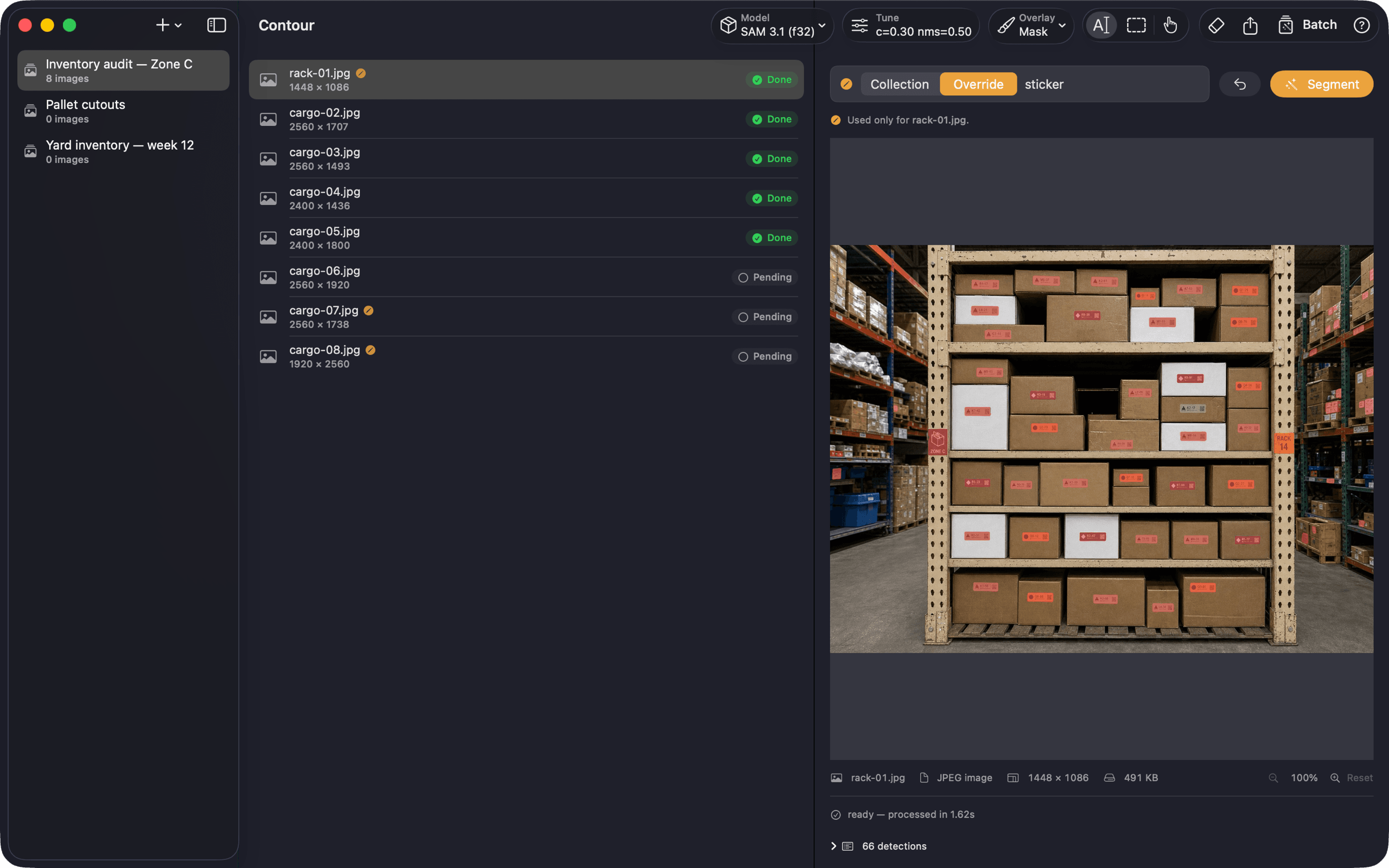
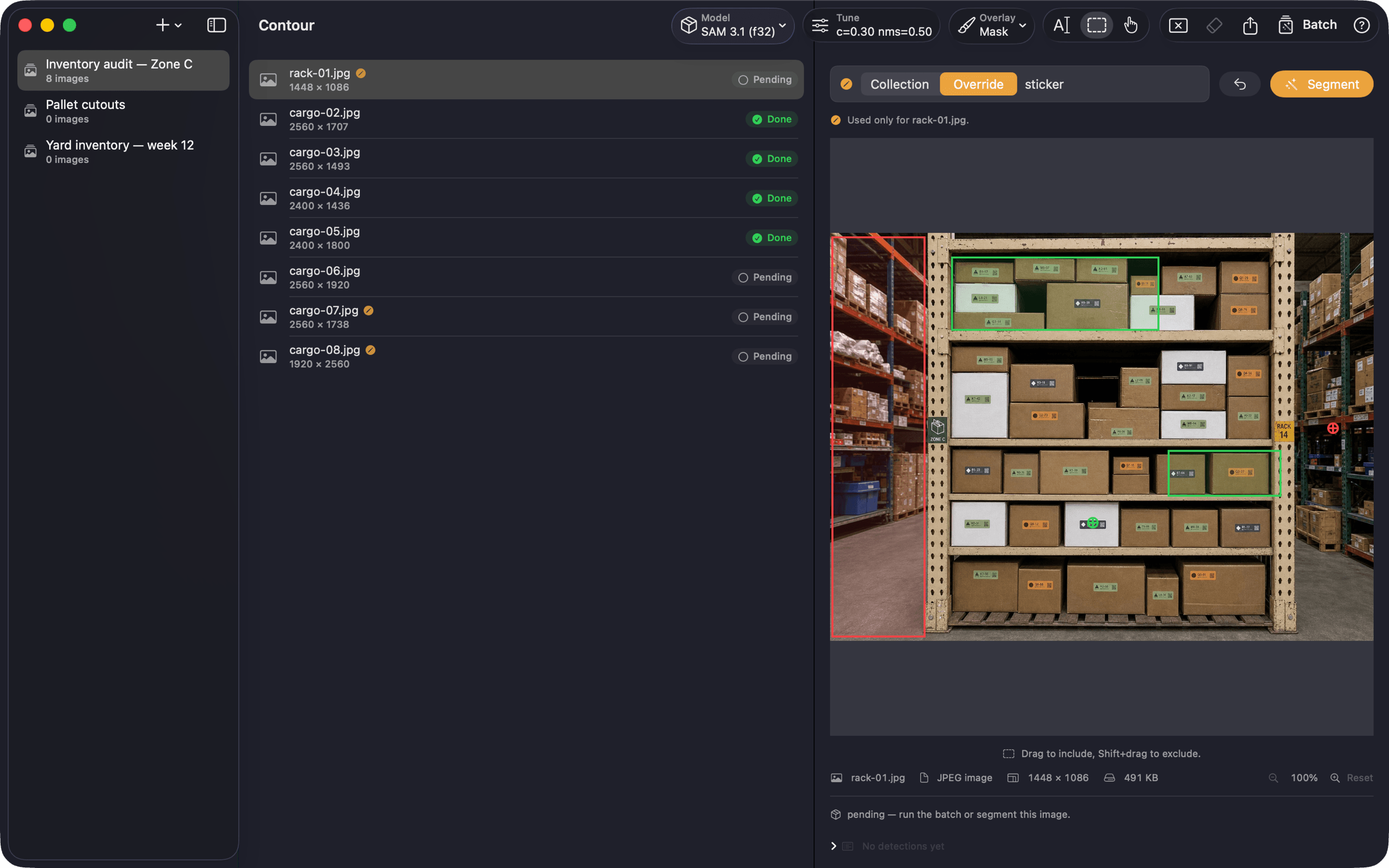
Text, include-boxes, exclude-boxes — and combinations. SAM understands "person," "label," "dog." Shift-click to draw an and-not region.
Contour turns Meta's SAM 3 and SAM 3.1 into a real macOS workstation — drop in a folder or a video, write a prompt, get clean masks, boxes, tracked frames, and dataset-ready exports. Nothing uploads.
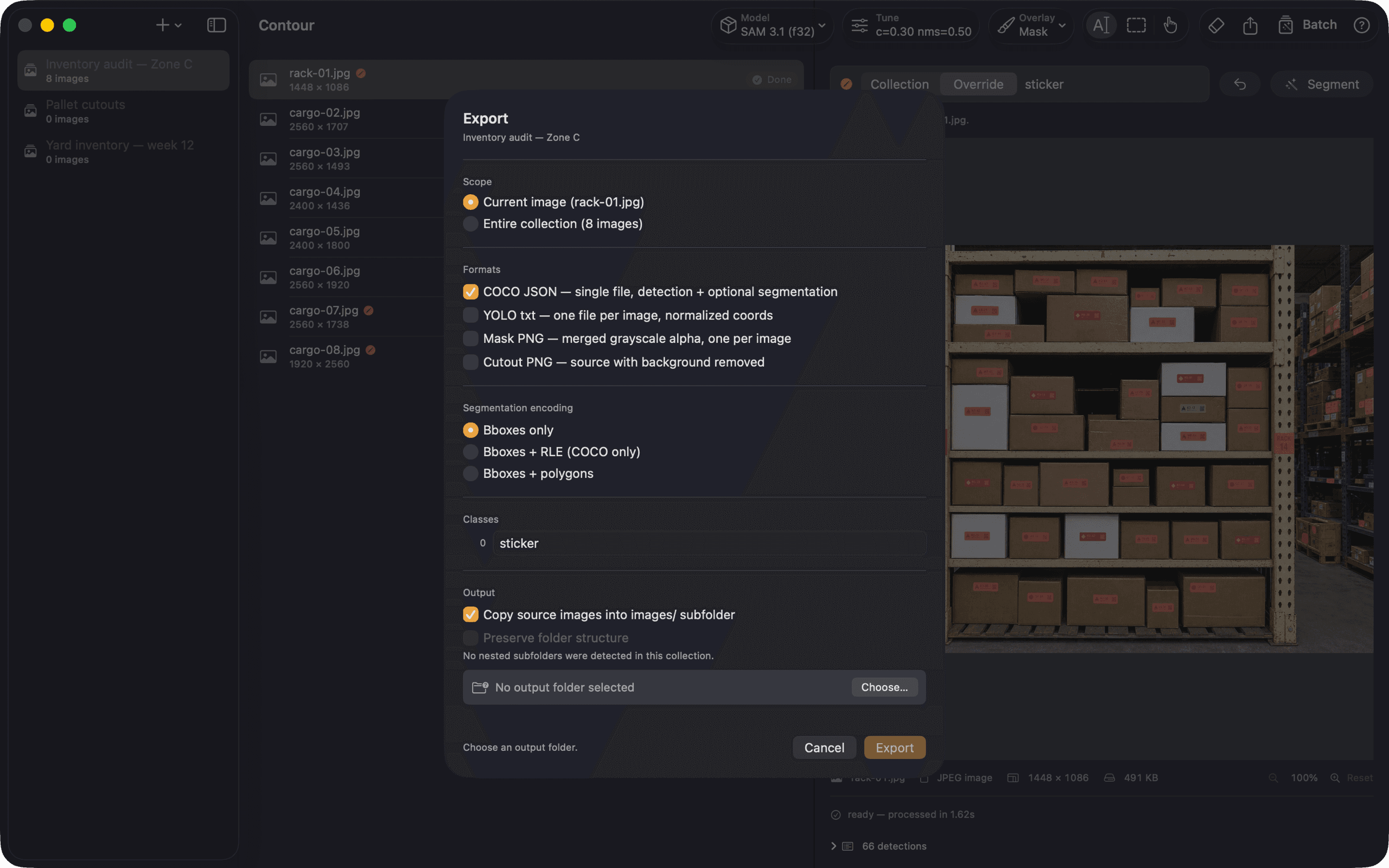
Drop in a folder, pick a model, prompt, run. Below: the editor, the model manager, batch processing, and the one-time Pro unlock.
Every feature is there because someone who segments for a living needed it. No confetti, no auto-enhance, no one-click magic.
Text, include-boxes, exclude-boxes — and combinations. SAM understands "person," "label," "dog." Shift-click to draw an and-not region.
Raw output is cached per image. Drag confidence, NMS, alpha, and minimum area — results re-render in hundreds of milliseconds, no re-inference.
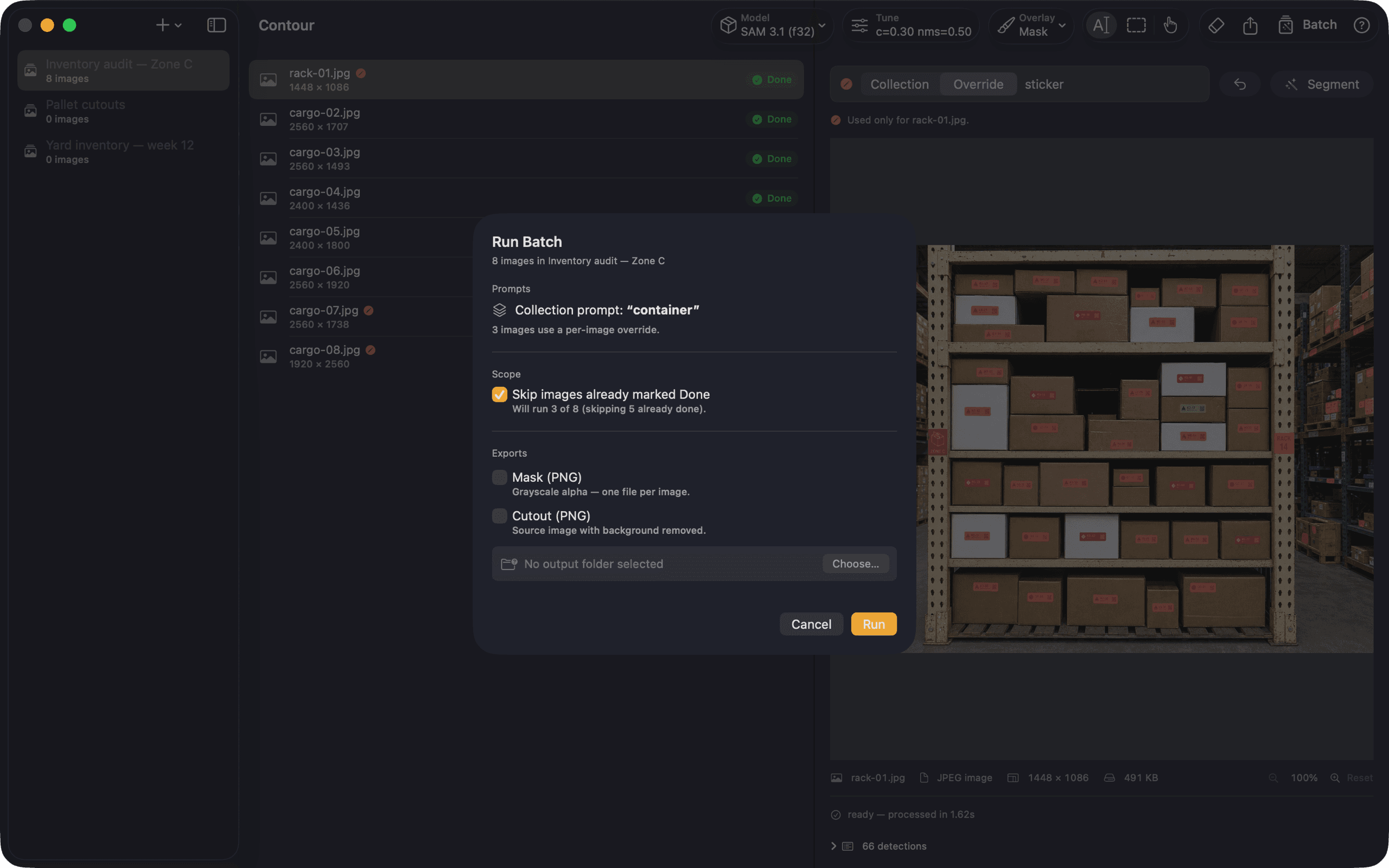
Point at a folder, set a prompt and model once, run. Status is tracked in SwiftData. Completed images skip on re-runs; crashes recover cleanly.
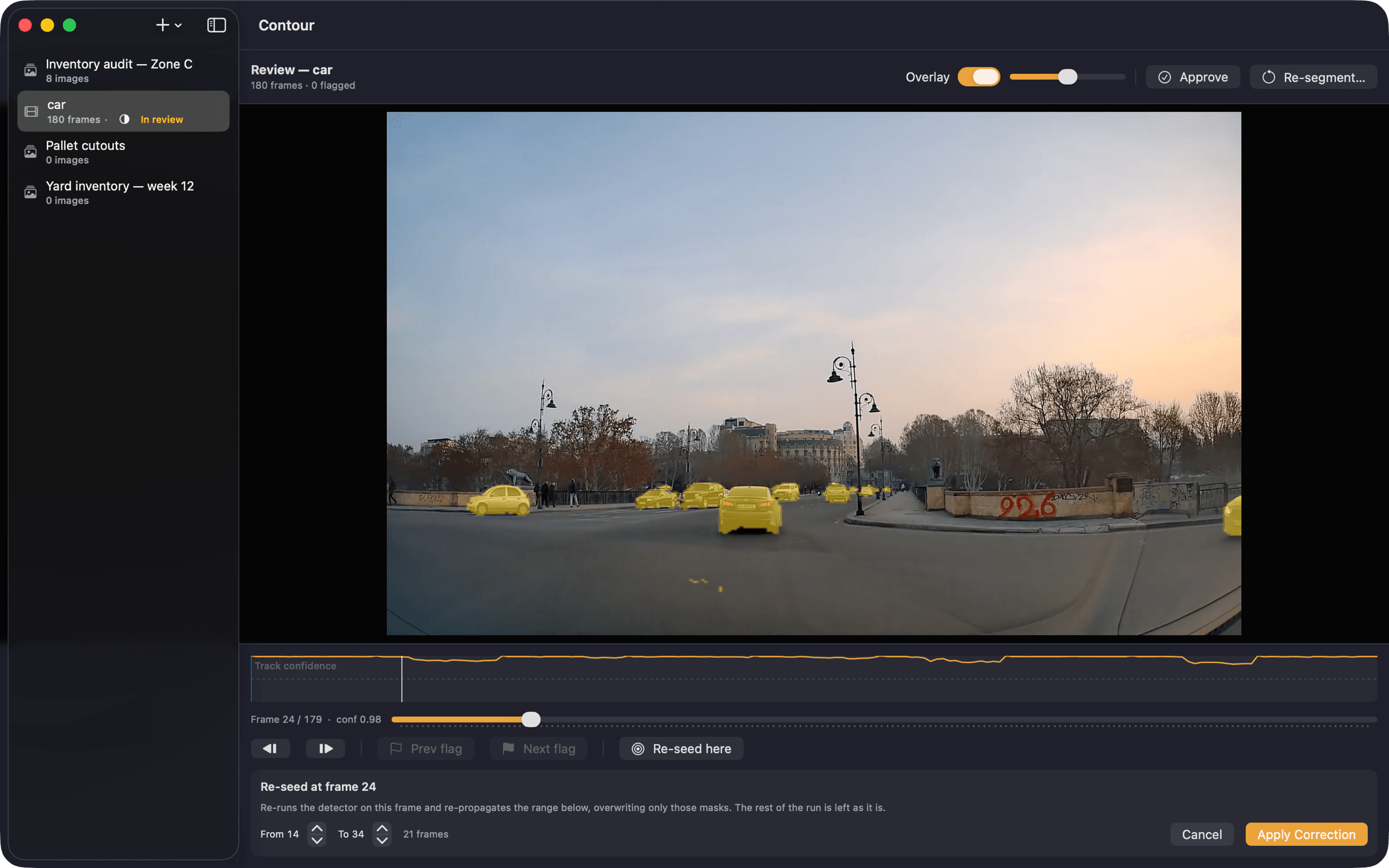
Prompt once and follow objects through the clip — three modes, from 16 stable identities to 200 objects re-detected every frame. Scrub it back with a confidence timeline that flags where the track drifted.
Pixel mask, axis-aligned bbox, or oriented bbox — switch per export.
MLX for compute, Metal for GPU, Accelerate for SIMD mask composition. No cloud, no API key, no telemetry.
COCO JSON (with optional RLE), YOLO TXT bbox or polygon, mask PNG, cutout PNG. Video runs add a numbered mask sequence and ProRes 4444 carrying the mask as alpha.
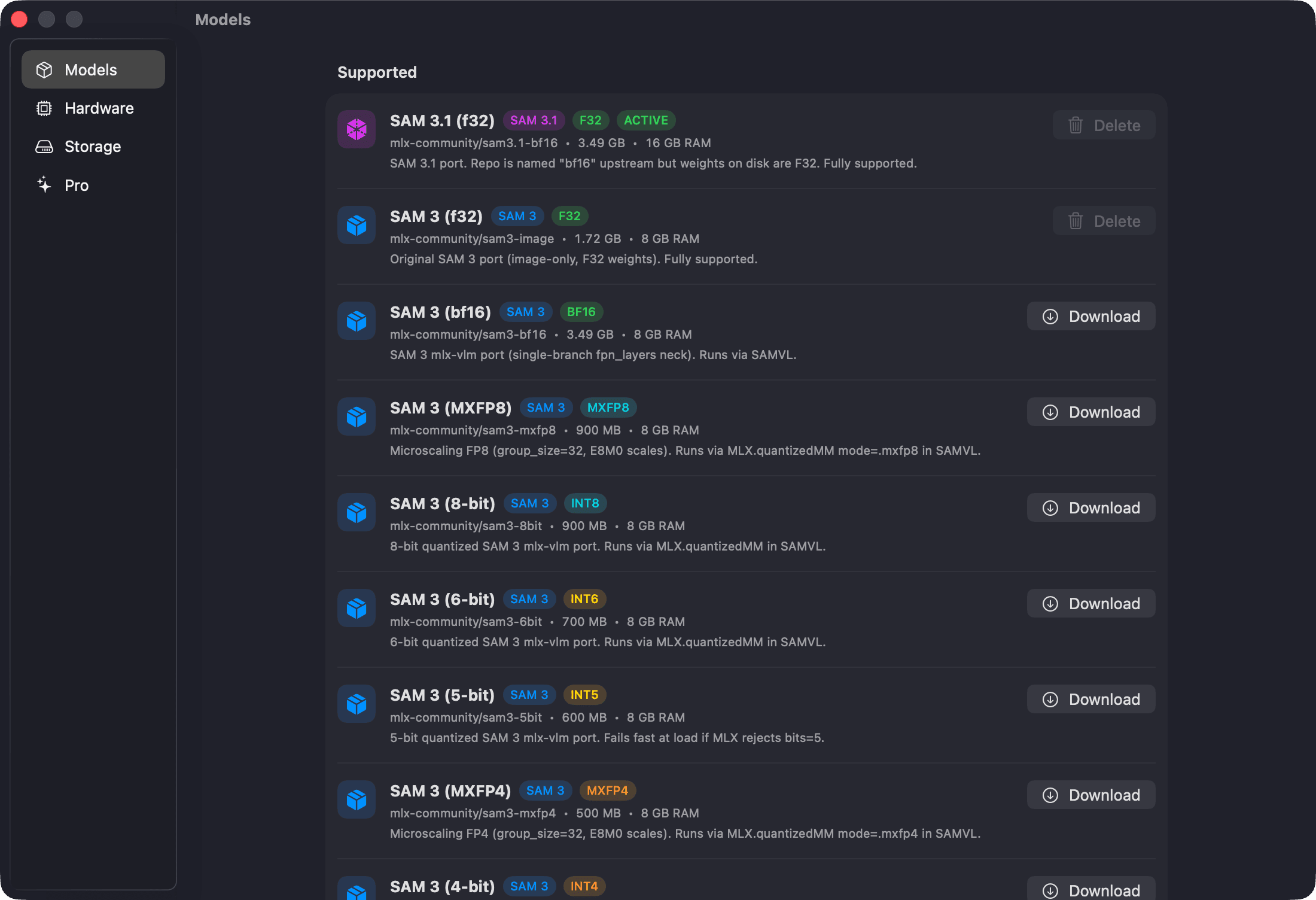
SAM 3 and SAM 3.1 ship in several precisions — the six most useful shown here. Downloaded once from Hugging Face, color-coded in the toolbar so you always know what's loaded.
Latest architecture. Full precision. Drives video tracking.
Reliable baseline. Fast on most Apple Silicon.
Quantized · near-lossless for most prompts.
Smallest download. Trade accuracy for size.
Microscaling FP8 — finer scaling than INT8.
Microscaling FP4. Smallest modern-FP variant.
No modal popups. No "AI magic." Each step is a tool in the workstation — toolbar-driven, menu-driven, keyboard-driven.
Drag in a folder of images, or a video file. SwiftData tracks status per image and per clip.
SAM 3 or 3.1, full-precision or quantized. Color-coded in the toolbar.
Type a label, draw include / exclude boxes, or combine.
Sliders re-render from cache — no re-inference. Video runs get a scrubber and a confidence timeline instead.
Mask PNG, cutout PNG, COCO JSON, YOLO TXT — plus a mask sequence and ProRes 4444 alpha for video.
What comes out of Contour drops straight into your training pipeline — no round-tripping, no script-to-reshape, no CSV middleware.
{
  "images": [...],
  "annotations": [
    {
      "id": 1,
      "image_id": 412,
      "category_id": 1,
      "bbox": [142,288,72,312],
      "area": 18472,
      "segmentation": {
        "counts": "PYm03L4M...",
        "size": [1920,1080]
      },
      "score": 0.97
    }
  ]
}0 0.186 0.554 0.038 0.520
0 0.452 0.554 0.038 0.520
0 0.742 0.576 0.037 0.510
0 0.867 0.598 0.036 0.498
0 0.092 0.620 0.024 0.391
# class_id cx cy w h
# normalized 0..1
# 5 detectionsIMG_0412/
├─ mask_001.png · 62 KB
├─ mask_002.png · 58 KB
├─ mask_003.png · 61 KB
├─ mask_004.png · 47 KB
└─ mask_005.png · 34 KB
5 masks · 262 KB total
1920×1080 · 8-bit alphaIMG_0412/
├─ cutout_001.png · 240 KB
├─ cutout_002.png · 221 KB
├─ cutout_003.png · 204 KB
├─ cutout_004.png · 178 KB
└─ cutout_005.png · 132 KB
5 cutouts · RGBA
alpha channel preservedEvery model runs locally via MLX — Apple's machine learning framework for Apple Silicon — with Metal for GPU compute and Accelerate for SIMD-accelerated mask composition.
No subscription. Buy Pro once, own it. Free tier covers personal projects and exploration — Pro unlocks batch, video, and dataset exports.
Free
Personal use. One image at a time.
Pro
EARLY LAUNCHEarly launch price, down from $44.99
Everything. For people who segment for a living.
Missing one? Head to support , open an issue , or email support@mgcrea.io .
Only once — to download model weights from Hugging Face on first use. After models are cached locally, Contour runs entirely offline. The app makes zero outbound requests during segmentation.
macOS 26 (Tahoe) or later on Apple Silicon. 8 GB of unified memory for quantized SAM 3; 16 GB+ recommended for full-precision SAM 3.1. Intel Macs are not supported — MLX and Metal require Apple Silicon.
A background remover is about the outline — one subject, one clean cutout. Contour is about the partition — many instances, each one identified, each one bounded, exportable as a dataset. Different problem, different tool.
Yes — through Apple Shortcuts. Contour ships App Intents for Process Folder, Process Video, Export Collection, and Reveal Latest Export, so you can chain segmentation into Shortcuts workflows, run them from Spotlight, or trigger them from the terminal with the built-in `shortcuts run` command. Batch-oriented intents require Pro. There is no separate CLI, AppleScript dictionary, or URL scheme.
Yes. Contour gates SAM downloads behind a one-time license-acceptance prompt. After you accept, subsequent model pulls are silent.
Nothing. Contour ships with no analytics, no crash reporter, no "help improve the product" telemetry. Images, masks, and caches live in the app's sandboxed SwiftData container on your machine.
No. MLX is Apple-Silicon-only, and the app is built around macOS idioms — SwiftUI, SwiftData, Quick Look, Finder integration. A web or Linux port would be a different product.

Shipping product photos rather than training data? Silhouette does batch background removal with marketplace presets, edge control, and readiness checks.